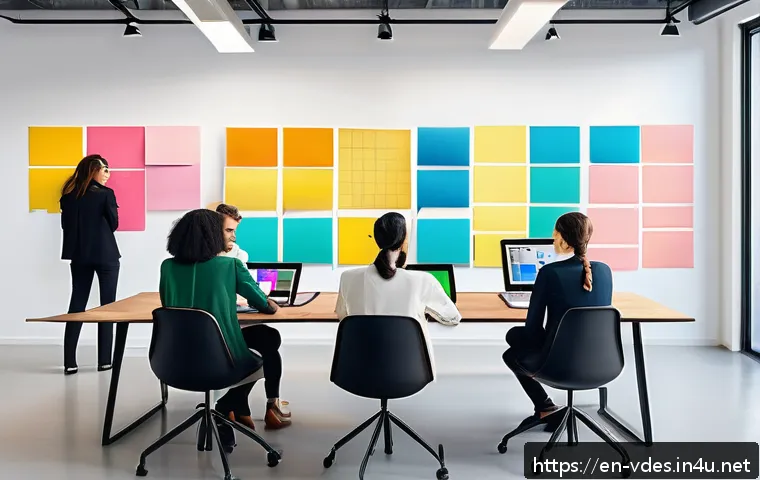
In today’s fast-paced design world, effective collaboration isn’t just a bonus—it’s a necessity. With remote work becoming the norm and teams spread across different time zones, mastering seamless teamwork in visual design can make or break a project’s success.
I’ve experienced firsthand how clear communication and the right tools transform creative chaos into stunning results. If you’ve ever struggled with aligning visions or managing feedback loops, this guide will walk you through proven strategies to elevate your team’s synergy and deliver exceptional designs together.
Let’s dive into what truly makes collaboration click in visual design.
Building a Shared Visual Language
Defining Clear Design Terminology
When multiple designers collaborate, inconsistent vocabulary can cause unnecessary confusion. I’ve noticed that when teams take the time to establish a shared glossary for colors, typography, and layout terms, it smooths out countless misunderstandings.
For example, agreeing on what “primary button” or “accent color” means avoids endless back-and-forths. It’s like speaking the same dialect in a creative language—everyone knows exactly what’s being referenced without guessing.
This clarity speeds up the feedback process and keeps the project moving forward without bottlenecks.
Creating a Centralized Style Guide
A well-maintained style guide acts as the north star for any collaborative design effort. In my projects, having a live, easily accessible style guide ensures every team member can check fonts, spacing, and color palettes instantly.
It’s especially crucial when working remotely or across different time zones because it reduces dependency on synchronous conversations. Plus, it helps new team members ramp up quickly, minimizing errors caused by assumptions or outdated files.
The guide should evolve as the project grows, reflecting real-time decisions and adjustments.
Using Visual References to Align Expectations
Words can only do so much; visual references bridge the gap between intent and perception. I often encourage teams to share mood boards, style tiles, or quick sketches early in the process.
This tangible snapshot of design direction helps everyone visualize the end goal and spot mismatches before heavy work begins. It also fosters inspiration and sparks creative discussion.
When you see what others are imagining, it’s easier to merge ideas into a cohesive design that truly resonates with the target audience.
Streamlining Feedback Loops Without Losing Momentum
Setting Up Structured Review Sessions
Open-ended feedback sessions can quickly become unproductive and overwhelming. From my experience, scheduling short, focused review meetings with a clear agenda keeps the conversation on track.
For example, dedicating specific time slots to discuss typography, imagery, or user flow helps isolate issues and find targeted solutions. It also prevents feedback from piling up and becoming a massive, intimidating list that stalls progress.
Everyone knows what to expect and can prepare their thoughts ahead of time, making discussions more meaningful.
Balancing Critique with Constructive Suggestions
It’s natural for designers to feel defensive when receiving criticism, but framing feedback constructively makes all the difference. I’ve found that encouraging teammates to pair critiques with actionable suggestions fosters a positive atmosphere.
Instead of “I don’t like this color,” try “Maybe a softer blue would complement the brand better.” This subtle shift transforms feedback from a roadblock into an opportunity for improvement.
It keeps morale high and collaboration fluid, which is essential when juggling tight deadlines.
Leveraging Collaborative Tools for Real-Time Input
Tools like Figma, Miro, and InVision have been game changers for my teams. They allow multiple people to comment directly on design elements, reducing email chains and version confusion.
When feedback is pinned to specific sections, it’s easier to track changes and address concerns promptly. Plus, seeing others’ input in real time creates a sense of shared ownership and urgency.
These platforms also support asynchronous collaboration, perfect for teams spread across different time zones.
Balancing Creativity with Practical Constraints
Understanding Project Scope and Limitations
Creativity flourishes best within clear boundaries. I’ve learned that early alignment on budget, timeline, and technical constraints prevents frustration later on.
When everyone knows the guardrails, designers can focus their energy on innovation rather than guessing what’s possible. This transparency also encourages creative problem-solving tailored to real-world conditions, rather than idealistic but unfeasible ideas.
It’s about being inventive with what’s available, not wasting resources chasing perfection.
Prioritizing Features Based on User Impact
Not every cool design idea deserves equal attention. Collaboratively ranking features by their value to the user and business ensures the team’s efforts focus on what truly matters.
I’ve seen how this approach reduces scope creep and aligns designers with product managers and developers more effectively. It also helps in making tough trade-off decisions without causing friction.
When priorities are clear, creativity is channeled into the highest-impact areas, delivering better results faster.
Embracing Iteration and Flexibility
No design is perfect on the first try, and that’s okay. I’ve found that promoting a mindset where iteration is expected reduces pressure and fosters experimentation.
When teams know they can test, learn, and pivot quickly, they’re more willing to take creative risks. This iterative approach often uncovers unexpected solutions and improvements that a rigid process would miss.
Flexibility also helps in adapting to changing client needs or market trends without derailing the whole project.
Fostering Trust and Open Communication
Encouraging Transparency About Challenges
In my experience, when team members openly share obstacles or uncertainties, it builds a stronger foundation of trust. Instead of hiding issues or pretending everything’s fine, honest communication allows for collaborative problem-solving early on.
This openness reduces stress and prevents small problems from snowballing. It’s important to create a safe space where asking for help or admitting mistakes is seen as a strength, not a weakness.
Recognizing and Valuing Each Role’s Contribution
Design is rarely a solo act; it’s a symphony of diverse skills. I’ve noticed that teams thrive when every role—from UX researchers to copywriters to developers—is acknowledged for their unique input.
This mutual respect fosters a collaborative spirit where ideas are exchanged freely and everyone feels valued. Celebrating small wins together also boosts morale and motivates continued effort towards shared goals.
Regular Check-Ins to Maintain Alignment
Scheduling brief, recurring check-ins has been a lifesaver in keeping projects on track. These meetings don’t need to be lengthy but serve as touchpoints to clarify expectations, adjust timelines, and share progress.
They prevent surprises and keep everyone informed, which is especially helpful in remote or hybrid environments. Regular communication nurtures relationships and ensures the team moves forward with a unified vision.
Optimizing Workflow with the Right Tools and Processes
Choosing Tools That Fit Your Team’s Style
I’ve experimented with countless design and collaboration tools, and the key is finding ones that naturally integrate into your team’s workflow. Overloading on features or switching platforms frequently can cause more headaches than benefits.
For instance, if your team prefers visual brainstorming, a tool like Miro might be ideal. If rapid prototyping is priority, Figma shines. The best tools minimize friction rather than add complexity.
Establishing Clear Version Control Practices
Version confusion is a common pitfall in collaborative design projects. I’ve seen how implementing strict version control—whether through cloud-based platforms or naming conventions—saves hours of backtracking and rework.
It’s crucial to set rules on who updates files and when, plus how to document changes. This transparency keeps everyone aligned and reduces the risk of overwriting or losing valuable work.
Automating Routine Tasks to Save Time
Leveraging automation for repetitive tasks like exporting assets, generating style guides, or syncing files can free up creative bandwidth. I’ve integrated plugins and scripts in my workflows that handle these chores seamlessly.
This not only speeds up delivery but also reduces human error. Automation helps the team focus on what matters most—designing meaningful experiences—rather than getting bogged down by mundane processes.
Measuring Success and Learning from Each Project
Defining Clear Metrics for Design Impact
Success in design collaboration isn’t just about how pretty the final product looks. I’ve learned that setting measurable goals—like user engagement, conversion rates, or task completion times—provides concrete feedback on what’s working.
These metrics guide future decisions and justify design choices to stakeholders. When the team sees how their work directly influences business outcomes, it boosts motivation and accountability.
Conducting Post-Project Retrospectives
Taking time to reflect on what went well and what could improve is invaluable. I encourage teams to hold retrospectives where everyone shares honest feedback on processes, communication, and tools.
This collective learning strengthens future collaborations by identifying pain points and successes. It also fosters a culture of continuous improvement, which is essential in the ever-evolving design landscape.
Documenting Lessons Learned for Future Reference
Creating a centralized repository of insights and best practices from each project helps onboard new team members and preserves institutional knowledge.
I’ve contributed to and benefited from such documentation, which often includes annotated design files, meeting notes, and summary reports. Having this resource reduces repeated mistakes and accelerates ramp-up time, making each project smoother than the last.
| Aspect | Benefit | Example Tool or Practice |
|---|---|---|
| Shared Vocabulary | Reduces misunderstandings, speeds feedback | Design glossary document |
| Centralized Style Guide | Ensures consistency, aids new members | Figma library, Google Docs |
| Structured Feedback | Focused discussions, prevents overwhelm | Scheduled review meetings |
| Collaborative Tools | Real-time input, version control | Figma, InVision, Miro |
| Clear Version Control | Prevents overwrites, tracks changes | Cloud file storage, naming conventions |
| Automation | Saves time, reduces errors | Design plugins, export scripts |
| Success Metrics | Measures impact, guides improvements | Analytics tools, KPIs |
| Retrospectives | Identifies improvements, boosts morale | Team feedback sessions |
Closing Thoughts
Collaborative design thrives when teams build a common visual language, streamline feedback, and balance creativity with practical limits. Embracing open communication and the right tools further strengthens the workflow. By continuously measuring success and learning from each project, teams can deliver impactful designs more efficiently. Ultimately, thoughtful collaboration turns individual ideas into cohesive, user-centered experiences.
Useful Information to Keep in Mind
1. Establishing a shared design vocabulary minimizes confusion and accelerates decision-making.
2. Maintaining a centralized, up-to-date style guide helps ensure consistency across all design elements.
3. Structured review sessions with clear agendas make feedback more focused and productive.
4. Utilizing collaborative platforms like Figma or Miro enables real-time input and smooth version control.
5. Prioritizing features by user impact guides teams to concentrate efforts where they matter most.
Key Takeaways
Clear communication through shared terminology and visual references is essential for smooth collaboration. Implementing structured feedback processes and leveraging the right tools reduces friction and keeps projects on track. Balancing innovation within realistic constraints helps teams focus on impactful solutions. Fostering trust and regular check-ins maintain alignment and morale. Finally, defining success metrics and conducting retrospectives enable continuous growth and improved outcomes.
Frequently Asked Questions (FAQ) 📖
Q: How can remote design teams maintain clear communication across different time zones?
A: From my experience, the key is establishing overlapping hours where everyone can connect, even if only for a short daily check-in. Using asynchronous communication tools like Slack or project management platforms helps keep the conversation flowing without everyone needing to be online simultaneously.
Clear documentation of design decisions and feedback ensures that team members can pick up where others left off, reducing confusion and delays.
Q: What tools are most effective for managing feedback loops in visual design projects?
A: I’ve found that tools like Figma and InVision are game-changers because they allow real-time commenting directly on design files. This cuts down on endless email threads and helps keep feedback contextual and organized.
Pairing these with a dedicated project management tool such as Trello or Asana helps track progress and ensures no feedback gets lost, making the whole review process smoother and faster.
Q: How do you align creative visions when team members have different design preferences?
A: It can be tricky, but setting a shared design brief at the start helps a lot. I usually facilitate a kickoff meeting where everyone discusses goals, inspirations, and brand guidelines.
Encouraging open dialogue and having a centralized style guide keeps everyone on the same page. Sometimes, creating mood boards or prototypes early on helps visualize the direction, so the team can agree before diving deeper into the work.